We trust our devices to keep our lives organized, from reminders and appointments to birthdays and holidays. But behind that convenience lies an invisible risk. Every time you subscribe to an external calendar, you may be granting an unknown third party the ability to send events directly to your device for as long as the subscription remains active.
Bitsight researchers recently uncovered a significant and previously unmonitored threat vector affecting millions of mobile devices. Through controlled sinkholing activity, the Bitsight TRACE team identified 390 calendar domains that still receive daily synchronization requests from nearly 4 million iOS and macOS devices. Many of these domains were long-forgotten or abandoned, originally used for public calendars such as holidays, school events, or sports schedules. These connections continue automatically, meaning millions of devices are still reaching out to servers that no longer belong to their legitimate owners.
This post focuses on the potential cyber threats associated with calendar subscriptions and their growing use as an attack vector. It aims to provide detailed insights that support threat monitoring, prevention, hunting, and incident response.
When your calendar becomes a gateway
Calendar applications are widely used for both personal and professional scheduling. Popular tools such as Google Calendar and Apple Calendar provide event management, reminders, and seamless integration with other digital services. These applications are designed for convenience, but that same convenience introduces security challenges when users subscribe to third-party calendars hosted on external domains.
Once a device subscribes to a calendar, it maintains an ongoing background connection to the server that hosts it. Even if that domain becomes inactive, is abandoned, or is re-registered by someone else, the device will continue to sync. This creates a persistent communication channel that can be abused if the domain falls into the hands of malicious actors.
Cyber threats associated with calendar subscriptions primarily fall into three categories:
Phishing and social engineering: Attackers can use calendar events to deliver fake notifications, promotions, or meeting invitations that contain phishing links designed to harvest credentials or personal data.
Malicious content delivery: Re-registered or hijacked domains can send harmful calendar files (.ics) that include links to malicious websites, scam downloads, or unwanted applications.
Tracking and data exposure: Constant background sync traffic allows attackers to potentially monitor device activity patterns, creating privacy and targeting risks.
Organizations and individuals should recognize that even a simple calendar subscription can become a persistent and trusted connection to external infrastructure. Without proper visibility and control, these benign tools can evolve into silent gateways for phishing, malware, and social engineering.
How it works: From helpful to harmful
Calendar subscriptions were designed to make life easier. When you subscribe to an external calendar such as one that lists national holidays, sports schedules, or promotional events, your device sets up an automatic connection to the server hosting that calendar. This connection allows the calendar app to update in the background, fetching new events or changes without any user action. It is meant to keep your schedule current, but it also means your device continues to communicate with that server indefinitely, even if the domain is no longer active or legitimate.
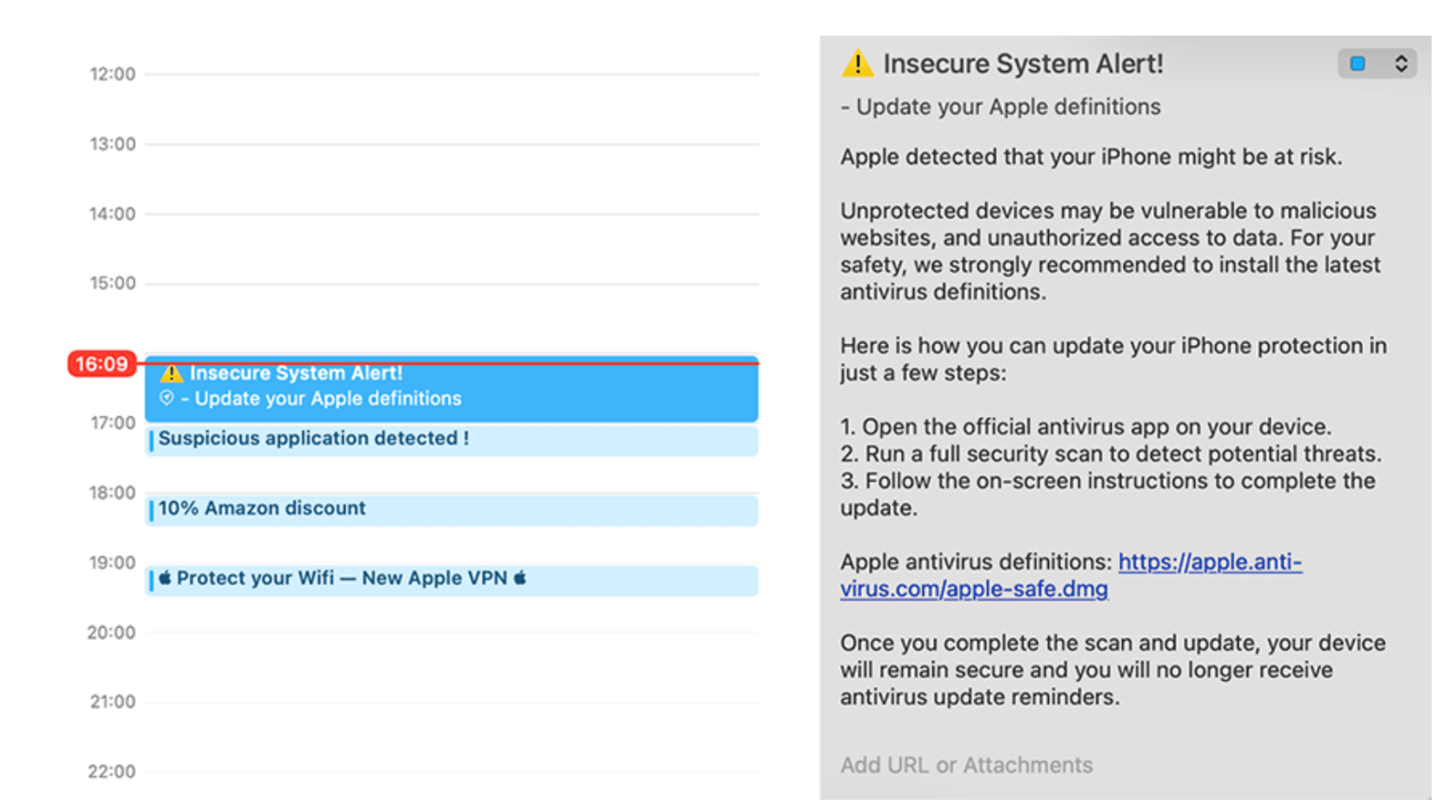
Figure: Example of events imported by calendar subscription
When a domain that once hosted a calendar subscription expires, it becomes available for purchase. Threat actors can re-register these abandoned domains and start responding to the sync requests still being sent by users’ devices. Each request from a device expects a calendar file called an .ics file, which contains event data such as titles, times, and descriptions. Attackers can exploit this by sending back malicious .ics files that appear as normal events but include harmful content.
These malicious calendar events can include:
Links to phishing pages disguised as legitimate promotions or meetings, such as “Black Friday Sale! Tap here.”
Malicious attachments like fake invoices, PDF downloads, or fake antivirus updates that install unwanted software.
Redirects to scam apps or push notification traps that flood the user with alerts or encourage them to install additional malware.
Because the Calendar protocols on certain devices do not use a proxy, devices and computers connect directly to the calendar’s server. This direct connection gives attackers more control and visibility than they would have with Google Calendar, which uses a proxy-based design that limits direct access to users’ devices. On certain operating systems, this means the trust relationship is more exposed. Once an attacker owns a domain that devices still query, they can silently push new calendar events or use the constant synchronization traffic for tracking, phishing, or further malicious delivery.
What starts as a helpful productivity feature can quietly become a persistent and trusted attack vector. The user sees nothing unusual; their device simply continues to sync while an attacker gains a direct line of communication through the native calendar app.
Why this matters: The exploitation of trust
Calendar events are trusted by design. They appear inside a native app, not in a suspicious email, and they blend seamlessly with legitimate reminders and meeting invites. Users see “reminders,” “deals,” or “event invites,” not warning signs. Busy executives and employees rarely stop to verify who sent the invite before accepting or attending. This inherent trust gives calendar events a psychological advantage that traditional phishing campaigns do not have.
Even legitimate calendar domains can become malicious after expiration. As shown in our research, threat actors are manipulating expired calendars and repurposing them to gain access to environments, perform reconnaissance, collect data, and execute complex phishing exploits. Once a subscription exists, devices continue to sync automatically, allowing attackers to reach millions of devices in a single wave.
Unlike phishing emails, calendar events do not go to spam. They go straight to your phone, appearing as trusted notifications that encourage users to click without hesitation.
Real-world scenarios
Some malicious calendar events are crafted to look appealing or urgent, encouraging users to click without hesitation. Attackers may display events such as “Exclusive Apple Store Deal” or “Amazon Sale” that link directly to phishing sites designed to steal credentials or payment information. In other cases, threat actors use blank or meaningless calendar titles to conceal malicious details within the event description, a tactic observed throughout our research. By exploiting users’ desire to stay secure, some events promote fake VPN applications or display fabricated system alerts that urge immediate action. These malicious reminders often appear as legitimate notifications, blending seamlessly with genuine alerts and making it difficult for users to distinguish between trusted events and harmful ones.
What device users can do
Check your subscribed calendars
Go to Settings → Calendar → Accounts → Subscribed Calendars and review the list. Remove any subscriptions you do not recognize or no longer use.
Be skeptical of “free” event calendars
Avoid adding calendars from unfamiliar websites or apps that promise deals, promotions, or countdowns. These are often used to deliver unwanted or malicious events.
Treat calendar events like emails
Never click links or open attachments from unknown or unexpected calendar events. If something looks unusual, delete the event or unsubscribe from the source.
Update OS regularly
Keep your device software up to date. Apple continues to improve protections that make it harder for attackers to abuse calendar syncing.
Stay informed
Awareness training should now include calendar-based threats. Cybercriminals are expanding beyond email phishing, and calendars are becoming the next frontier for social engineering.
Convenience vs. control
The same tools that help us stay organized can also be turned against us. Bitsight research shows that calendar subscriptions, often overlooked in cybersecurity, can silently connect millions of devices to abandoned or hijacked infrastructure. These trusted tools can become powerful entry points for phishing, scams, and malicious content if left unchecked. Awareness is the first line of defense. Review your subscriptions, remove unfamiliar calendars, and stay alert to unexpected events or reminders. Not every notification on your device deserves your trust or a place in your schedule.
Bitsight’s Insecure Systems risk vector assesses endpoints (which can be any computer, server, device, system, or appliance with internet access) that are communicating with an unintended destination. The software of these endpoints may be outdated, tampered, or misconfigured. A system is classified as “insecure” when these endpoints try to communicate with a web domain that doesn’t yet exist or isn’t registered to anyone. By identifying endpoints still communicating with unregistered or inactive infrastructure, Bitsight reveals where trusted assets have silently drifted into risk. Talk to our team to learn more.
2026 State of the Underground Report
Get the full picture on AI exposure, exploit pressure, and the underground trends security teams need to watch.
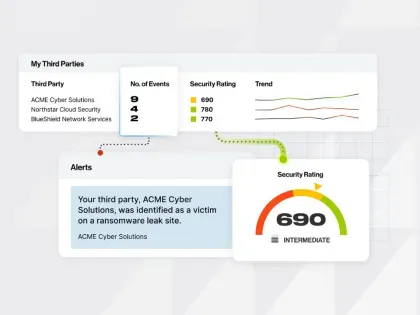
See how Bitsight combines supplier threat intelligence with security ratings to identify breaches, ransomware, & other risks - and prioritize your response.