The ABCs of “‑ishing”: From Phishing to Quishing

blog_abcs of -ishing
emma-stevens-bio-portrait
Written by Emma Stevens
Threat Intelligence Researcher

It’s no secret that in cybersecurity, many attacks begin with some form of “‑ishing.” But what exactly are these tactics and who’s behind them? From classic phishing emails to more advanced impersonation schemes using AI and social platforms, attackers continue to evolve their methods to exploit human behavior. Understanding the full spectrum of “‑ishing” techniques is critical for organizations looking to protect their people, data, and reputation.

In this blog, we explore the different types of “‑ishing” and their definitions. In future posts, we’ll take a deeper dive into specific attack vectors and how to defend against them.

Expanded “‑ishing” Attacks: What’s Out There?

Angler Phishing (Social Media Phishing)

Attackers create fake social media profiles that impersonate customer support or brand representatives. These fake accounts engage with users through public posts or direct messages, often prompting them to click malicious links or share login details.

Calendar Phishing

This technique leverages calendar invites (typically via email or mobile) to deliver malicious links or attachments. The invite looks legitimate, but clicking it leads to credential harvesting or malware installation.

Captcha Phishing

A newer tactic where attackers insert fake CAPTCHA challenges (like “I’m not a robot” checkboxes) on phishing sites. After the user completes the CAPTCHA, they’re redirected to a malicious form. This not only makes the page appear more legitimate but can also evade automated security scans.

Clone Phishing

In this method, attackers copy a legitimate, previously delivered email and resend it with altered links or attachments. Because the email appears familiar, the recipient is more likely to engage without suspicion.

Deepfake Phishing

A growing threat involving AI-generated voice or video content used to impersonate trusted figures, such as executives or business partners. Deepfake phishing can be used in vishing calls or video messages, making social engineering even more convincing.

Domain Spoofing (Lookalike Domains)

Cybercriminals register domains that closely mimic legitimate ones (e.g., paypa1.com vs. paypal.com). These domains are then used to send phishing emails or host fake websites, fooling users into entering sensitive data.

Email Phishing

The most common form of phishing: deceptive emails designed to look like they come from trusted sources. These emails often contain malicious links, infected attachments, or urgent messages that prompt users to act quickly without verifying the source.

Evil Twin Phishing

Attackers set up rogue Wi‑Fi hotspots that mimic legitimate networks (e.g., a fake “Starbucks_WiFi”). When users connect, their traffic can be intercepted, and login credentials can be harvested.

HTTPS Phishing

Threat actors increasingly use valid SSL certificates (HTTPS) for malicious websites. Users often trust the padlock symbol in the browser, not realizing the site may still be fake or dangerous.

Image Phishing

Attackers embed phishing content or malicious code in image files. These emails bypass traditional spam filters and trick users into clicking the image, which redirects to a phishing page.

Man‑in‑the‑Middle (MitM) Phishing

A more advanced approach where attackers intercept communications between the user and a legitimate service—often through rogue proxies or tools like Evilginx. These attacks can steal session cookies or tokens, bypassing multi-factor authentication.

Page Hijacking

In this method, legitimate websites are compromised to redirect users to malicious pages. Techniques like cross-site scripting (XSS) or iframe injection are often used to insert redirect code.

Pharming

Unlike phishing, which requires a user to click a malicious link, pharming silently redirects users from legitimate websites to fake ones by modifying DNS settings or local host files. It’s stealthy and often hard to detect.

Pop‑up Phishing

Users encounter pop-ups, often masquerading as system alerts or antivirus warnings, that prompt them to call a support number or download a file. These scams commonly lead to tech support fraud or malware infections.

Quishing (QR Code Phishing)

Malicious QR codes are printed or embedded digitally, redirecting scanners to phishing websites. This tactic has grown with the rise of contactless interactions and is difficult to detect without previewing the destination URL.

Search Engine Phishing (SEO Poisoning)

Attackers manipulate search engine rankings to display fake websites that mimic real ones. When users search for common terms (e.g., “login to PayPal”), they may be tricked into visiting a malicious site ranked near the top.

Spear Phishing

Unlike generic phishing, spear phishing targets a specific individual or group, using personal details to build trust. These emails are often difficult to spot and can bypass standard filters.

Smishing (SMS Phishing)

Text message-based phishing that uses urgent language and malicious links. Common examples include fake shipping updates, account lockouts, or government notices designed to elicit quick action.

Vishing (Voice Phishing)

Phone-based phishing where attackers pose as tech support, banks, or internal departments. Increasingly, AI-generated voices are used to impersonate real people, adding credibility.

Whaling (CEO Fraud)

A form of spear phishing targeting executives or high-profile individuals. Emails are often crafted to look like urgent requests from the CEO or CFO, such as wire transfers or sensitive data requests.

Watering‑Hole Attacks

Instead of targeting users directly, attackers compromise websites that a specific group frequently visits (e.g., an industry blog). When victims visit the site, they’re redirected to phishing pages or infected with malware.

So, Why It Matters

The evolution of “‑ishing” attacks shows how cybercriminals continue to find new ways to exploit trust, technology, and human error. These tactics span every digital channel—email, text, voice, search, Wi‑Fi, QR codes, and even calendar invites. As organizations rely more on digital communication, the attack surface widens.

Newer techniques like deepfake phishing, quishing, and captcha-based evasion are designed to bypass traditional security layers. Their growing use in high-stakes contexts—from political campaigns to financial fraud—demonstrates the need for proactive and layered defenses.

Bitsight CTI Impact: What We Can Do

  • Threat Intelligence Monitoring
    Bitsight continuously tracks phishing infrastructure and monitors emerging variants, including those using deepfakes, QR codes, and compromised legitimate domains.
  • Proactive Risk Alerts
    We identify phishing campaigns before they escalate, flagging infrastructure and tactics that target brand, VIPs, or critical operations.
  • Training & Awareness
    Insights from Bitsight CTI inform user education, including targeted modules on quishing, deepfake awareness, calendar invite hygiene, and more.
  • Indicator Sharing
    We supply actionable indicators (domains, IPs, file hashes, and TTPs) that can be fed into existing detection and response systems to reduce dwell time.

If you'd like to explore any of these variants in more depth, stay tuned for upcoming posts where we’ll break down real-world examples, case studies, and defense strategies tailored to each.

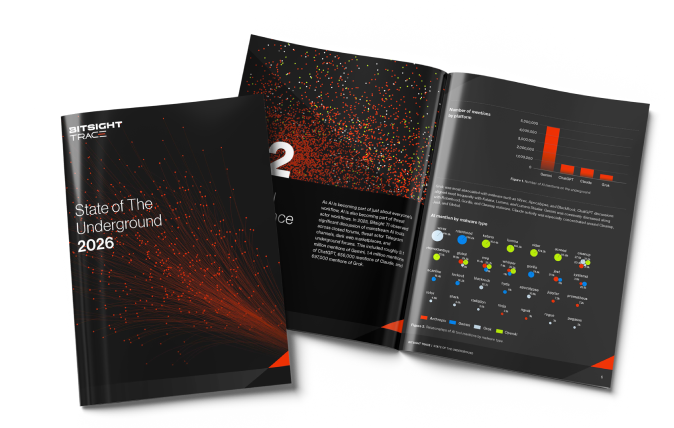
SOTU cover Image

Report: 7.7 Million endpoint logs for sale & more

Stealer malware is thriving—especially Lumma and Risepro. These logs fuel ransomware, MFA bypass, and persistent access. It's $10 to compromise an account. Explore this and other insights the data reveals.