AI is changing how attackers find and exploit weaknesses, and how security teams respond. As teams bring AI into more of their work, the data and context behind it becomes just as important as the model itself.
Today, Bitsight is expanding how customers can use our industry-leading intelligence through three experiences: AI Mode, Bitsight MCP, and Bitsight Skills.
Intelligence built around how your team works
At its core, Bitsight is a data company. We continuously analyze external exposure, vulnerabilities, threats, and supply chain risk, then add business context to help teams prioritize action.
Bitsight AI builds on that foundation. Now, customers can leverage AI directly inside the Bitsight platform, connect Bitsight data to the AI tools and agents they already use, and leverage repeatable workflows built around specific tasks.
We want customers to be able to ask, “What if I could...?” and have more ways to turn an idea into a working process:
- What if a vulnerability team could ask an agent to identify affected assets, understand whether active threat activity changes the priority, and prepare the information needed for remediation?
- What if a TPRM team could create a repeatable workflow for assessing vendors against its own criteria?
- What if a SOC analyst could bring Bitsight threat and exposure intelligence into an investigation already happening in another tool?
- What if a security leader could quickly turn technical findings into a clearer view of posture and readiness for leadership?
AI Mode, Bitsight MCP, and Bitsight Skills each serve a different way of working. Together, they give customers more flexibility to turn Bitsight data into action.
"Connecting the Bitsight MCP to our vendor risk workflow has been a time saver for our team without changing who makes the final call on a vendor."
AI Mode: Work with Bitsight AI inside the platform
For customers who want to work directly in Bitsight, AI Mode provides a conversational and agentic experience inside the Bitsight Platform.
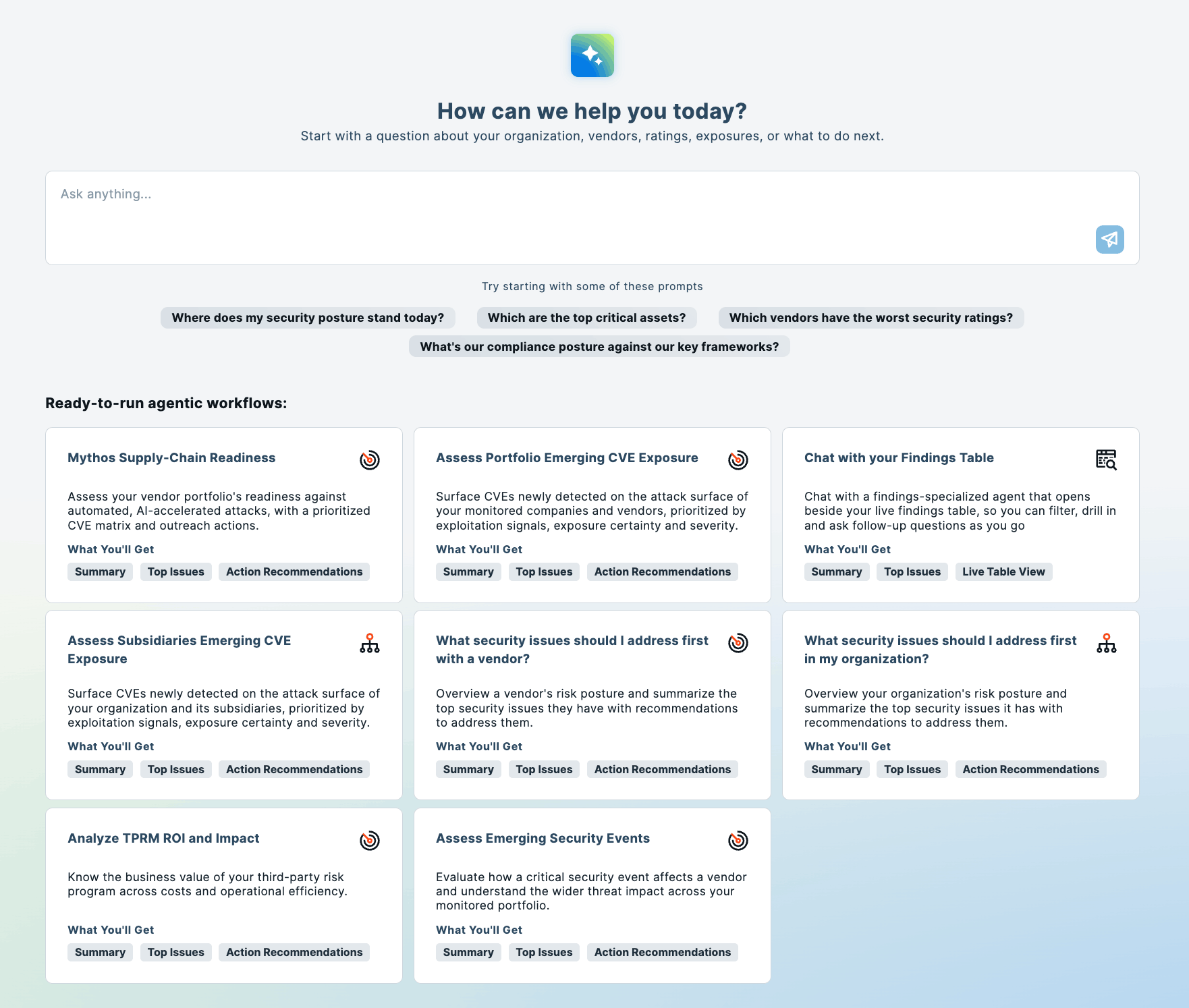
Teams can ask questions about security posture, risk, supply chain exposure, and other areas of concern using the context of their Bitsight data. Instead of manually gathering information across multiple reports, users can ask a question and explore the results conversationally.
AI Mode also includes preconfigured agentic workflows that perform multi-step analysis automatically across common use cases. Each workflow pulls together relevant Bitsight data and threat intelligence, then returns findings, context, and recommended actions to keep the conversation going.
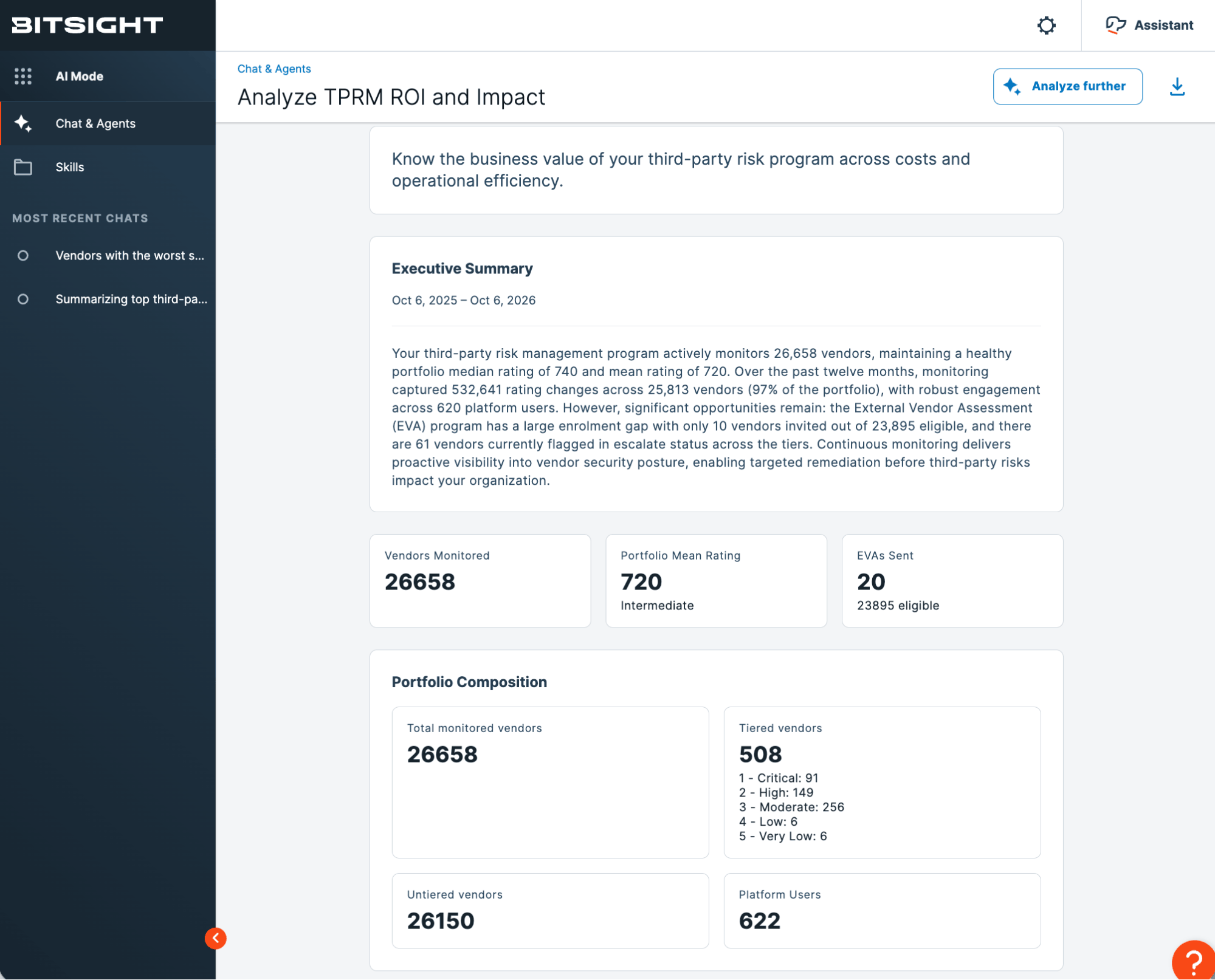
Those workflows can help teams:
- Identify security issues to address first across their own organization or a specific vendor
- Assess vendor portfolios for readiness against AI-accelerated supply chain attacks
- Analyze the impact and ROI of a third-party risk management program
- Investigate exposure and emerging threats through repeatable analyses
- And much more
For example, a vendor-focused workflow can summarize a vendor’s security posture, surface its current rating and peer position, highlight relevant risk vectors, and recommend actions.
The value is straightforward: AI Mode assembles the intelligence and surfaces recommended next steps, so you can move from insight to action faster.
AI Mode is currently available for Bitsight Security Posture Management, Continuous Monitoring, and Vendor Risk Management customers.
Bitsight MCP: Bring Bitsight intelligence into the AI tools you already use
Not every workflow starts inside Bitsight. Many organizations are already adopting additional AI assistants across security operations, engineering, risk, and IT.
Bitsight MCP makes it possible to bring Bitsight intelligence directly into those environments using the Model Context Protocol via popular clients like Claude, ChatGPT, and Microsoft Copilot.
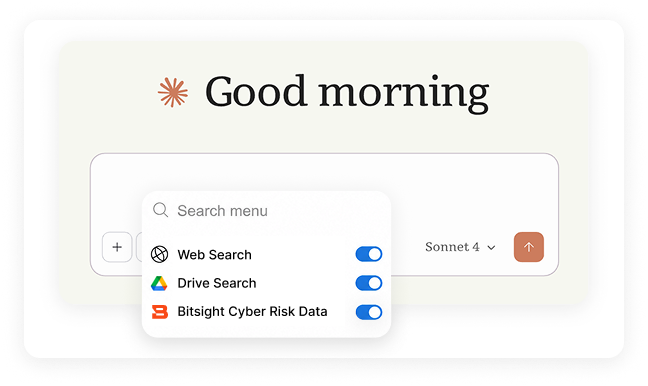
Once connected, an MCP-compatible AI assistant can access an organization’s Bitsight data and API capabilities based on that user’s existing permissions. Customers can ask for information in natural language instead of manually looking up an endpoint or building a new integration for every question.
That might mean asking:
- “What vendors in my portfolio had a rating drop this month?”
- “Show me open alerts from the last seven days.”
- “What do we know about this company’s current security posture?”
- “Find the relevant Bitsight documentation for this workflow.”
Behind the scenes, Bitsight MCP exposes seven core tools for discovering APIs, inspecting schemas, searching the Bitsight Knowledge Base, and executing read and write operations. Those tools can give an AI agent controlled access to more than 1,000 Bitsight API operations.
That coverage extends across areas such as company and asset data, findings, alerts, breaches, threat intelligence, portfolios, assessments, users, and access controls.
The API remains available for structured, repeatable integrations. MCP adds another way to use it as an agent-friendly layer that can discover the right capability based on the task a user is trying to complete.
It also opens up a wider range of workflows. Bitsight intelligence can sit alongside authorized information from a CMDB, SIEM, ticketing platform, vulnerability scanner, or other source available to the same AI environment.
That is where this gets interesting. Instead of asking customers to move every workflow into Bitsight, we can bring our cyber risk intelligence into the workflows they already have.
Bitsight Skills: Turn expertise into repeatable agent workflows
Access to data alone does not tell an AI agent how your team wants a task performed. That’s where skills come in.
Bitsight Skills are reusable sets of instructions that help compatible AI agents complete specific tasks using Bitsight data and APIs. A skill can include instructions, scripts, templates, and other supporting resources that give the agent the context and steps it needs to follow a workflow consistently.
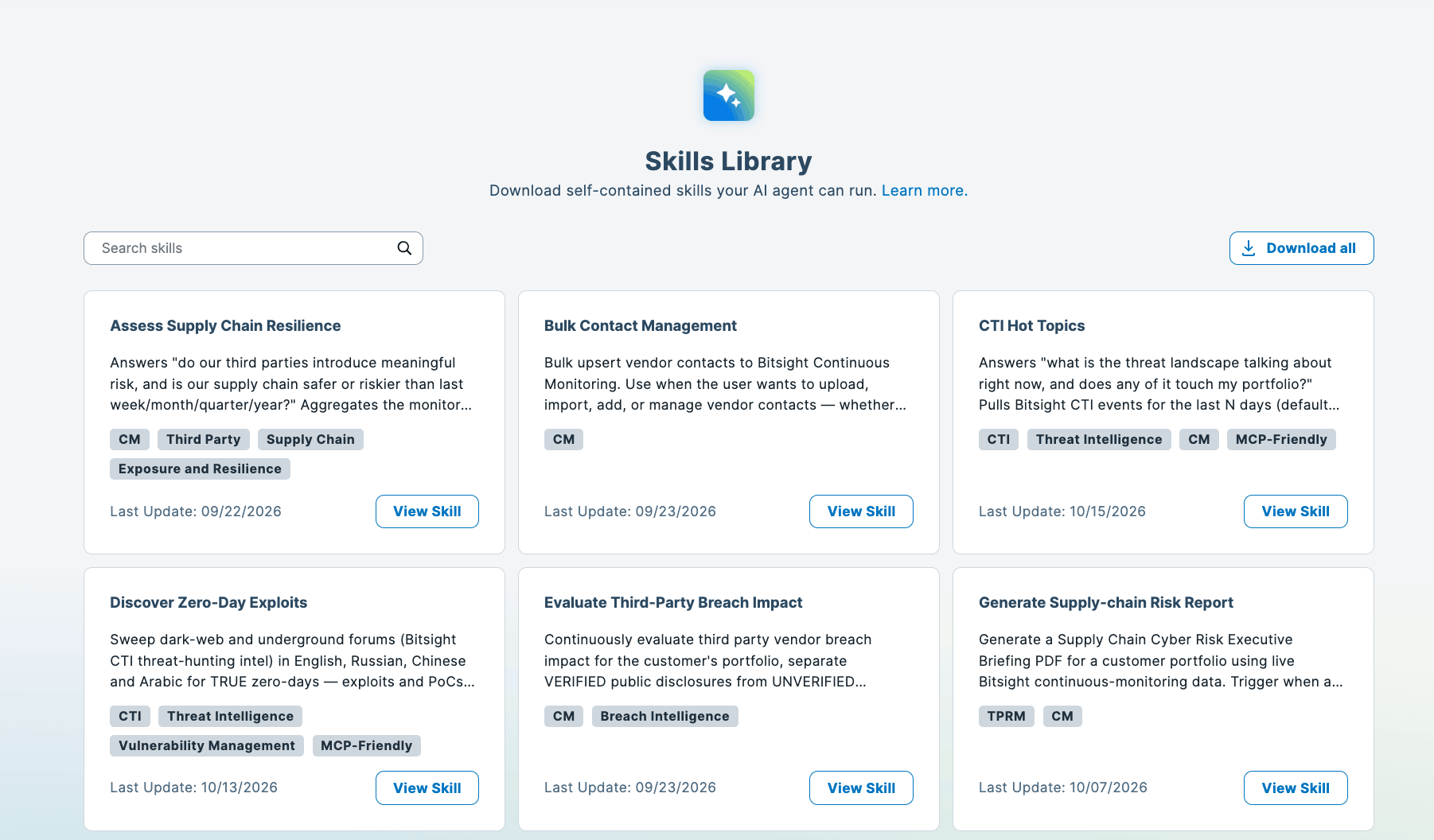
Put another way: MCP gives an agent access to Bitsight capabilities. Skills help teach the agent how to use those capabilities for a defined outcome.
That can be valuable for work that follows a repeatable process, such as:
- “I wish I could assess every vendor using the same process.”
- “I wish I could turn this investigation into a workflow my team could reuse.”
- “I wish our AI assistant already understood the steps we follow before escalating a finding.”
- “I wish I could combine our own process with Bitsight data without waiting for a new product feature to be built.”
Skills provide a way to begin addressing those scenarios.
Some Bitsight Skills work with MCP, while others interact directly with Bitsight APIs. Customers can also create their own skills that use Bitsight APIs and incorporate instructions, scripts, or templates tailored to their organization.
That makes Skills an important part of the broader Bitsight AI vision. We’re giving customers the building blocks to adapt to their own operating model.
Built with governance in mind
Governance becomes increasingly important as AI gains access to more security data and workflows.
Bitsight MCP uses a customer’s existing Bitsight identity and access controls, and it does not grant an AI assistant broader access than the user already has. Roles, access groups, product subscriptions, and API permissions continue to determine what an agent can retrieve or change.
We’re also implementing a server-side read-only role based on customer feedback, giving organizations an additional way to control whether agents can take actions that modify data.
Bitsight does not use API calls, prompts, or responses passing through MCP to train or fine-tune AI models. API responses such as ratings, findings, and Cyber Threat Intelligence data pass through the MCP without being stored. Bitsight retains operational telemetry and API call parameters for purposes including debugging, service monitoring, and rate limiting.
For operations that modify data, the MCP blocks the first attempt and requires explicit confirmation before execution by default. That confirmation is single-use and remains valid for five minutes. Customers can also configure limited trust windows or pre-approved automation for appropriate use cases.
AI Mode similarly gives administrators the ability to enable or opt out of Chats, Agentic Workflows, and Skills.
Putting more options in customers’ hands
We expect AI to change quickly, and trying to predict one interface that every customer will use would miss the point. Our approach is to make Bitsight Cyber Risk Intelligence useful across multiple environments.
Use AI Mode when you want to investigate risk and run agentic analyses directly inside Bitsight.
Use Bitsight MCP when you want your AI assistant or agent to access Bitsight intelligence alongside the other systems in your workflow.
Use Bitsight Skills when you want an agent to follow a repeatable process informed by Bitsight data and expertise.
Use them together when that produces a better outcome.
Bitsight AI is about giving security and risk teams more freedom to adapt intelligence to the way they operate, while grounding those workflows in the trusted cyber risk data and context Bitsight provides.
Ready to get started? Talk to our team to learn more.